
Marketplace
Kaufland integration for sellers: orders and invoices
Already selling on Kaufland? Check order import and invoicing rules in NavyFlame. Before launch, we will confirm your market, shipping scope and your own order result with you.
- 28 days free
- Set up in 5 minutes
- Cancel whenever you want


How to validate Kaufland before launch
Start with one seller account and one workflow. A successful API connection does not yet validate documents, listings or shipping.
- 1
Prepare an active Kaufland seller account and API access. Confirm the supported operator, market and write operations with us.
- 2
Check your own order: identifier, payment, items, discount, shipping and buyer details. Record differences before enabling further automation.
- 3
If invoicing or shipping is in scope, verify the result in the accounting system or operator panel too. Check retries for duplicates and how errors are handled.
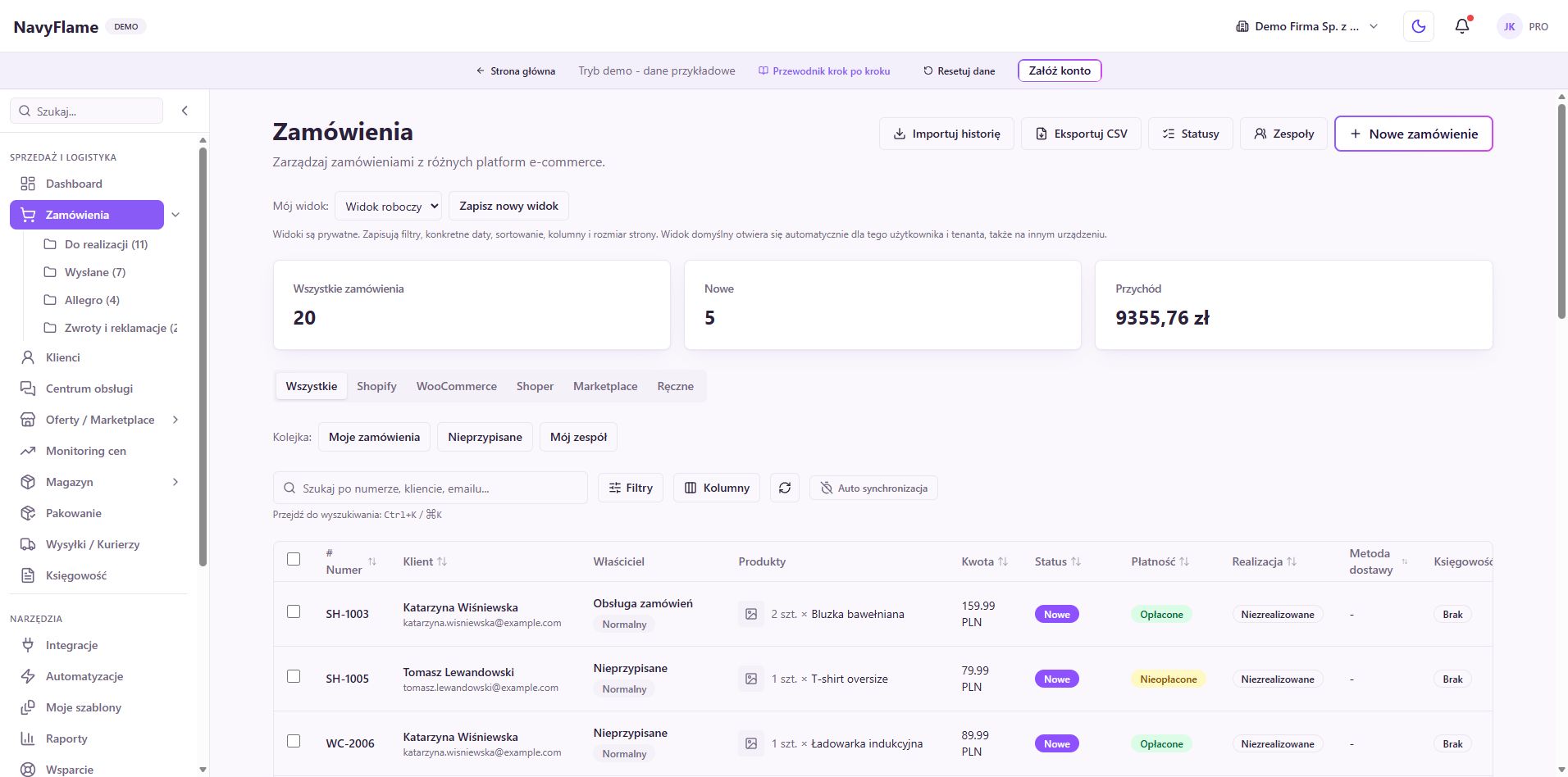
Kaufland orders in one panel
Kaufland orders are fetched automatically through the official Seller API, alongside orders from your other sales channels. Status, source and date filters, sorting, and internal notes on every order.
Invoices and receipts by your rules
Every paid Kaufland order can generate a VAT invoice or a receipt in your accounting system automatically (wFirma, inFakt, Fakturownia or iFirma), with B2B recognised by tax ID or EU VAT number and OSS marking for customers in the European Union.
Shipping, labels and tracking
Create shipments and InPost or DHL labels, or ones through the Apaczka broker, straight from a Kaufland order. Follow the status on the timeline and set shipping rules: sender details, dimensions, and an automatic label when the shipment is created.
Sales and margin reports
Follow revenue, margin, the country split and bestsellers from your Kaufland sales, together with the rest of your channels. Export to CSV and XLSX with correct Polish characters, ready for further work.
A customer database from your orders
NavyFlame builds a virtual customer database out of Kaufland orders and your other sales channels: one customer, many sources, with order history and search by name, e-mail or tax ID.
Public API and webhooks
Reach Kaufland orders, invoices and shipments through the public REST API, or receive an HMAC-signed webhook when a status changes. Connect your own system, Zapier or Make.
Offers by EAN in the Kaufland catalogue
Match a product from your warehouse to an existing card in the Kaufland catalogue by EAN and update the price and stock on that offer. The feature does not create a new product card in the Kaufland catalogue.
How do I connect Kaufland?
- 1
Connect your Kaufland account
Generate a Client Key and Secret Key in the Kaufland seller panel (API settings) or through the Technology Partner programme, pick the marketplace country and paste the keys into NavyFlame. Selling in several Kaufland countries? Add a separate integration instance for each.
- 2
Choose your invoicing system
Connect your accounting system account: wFirma, inFakt, Fakturownia or iFirma. Provide the API token; the details are encrypted end to end.
- 3
Set your invoicing and shipping rules
Decide when to issue an invoice (always, B2B only, or on request), configure the VAT rates and OSS, and set your shipping rules: sender details, dimensions and the automatic label.
- 4
Turn on the automation
Turn the integration on and test the connection with one button. From that moment Kaufland orders, invoices and shipping are handled automatically in one panel.
Invoicing in your own accounting system
Once a Polish accounting provider and invoicing rules are enabled, paid orders from Kaufland can create supported documents. Check tax ID and VAT handling with the provider; no document is issued without a configured integration.
Frequently asked questions
Generate a Client Key and Secret Key in the Kaufland seller panel (API settings) or through the Technology Partner programme, pick the marketplace country and paste the keys into the NavyFlame integration settings. You can verify the connection right away with the Test connection button; setup takes a few minutes and needs no developer.
NavyFlame supports Kaufland Global Marketplace in Germany, Czechia, Slovakia, Austria and Poland. Each integration instance is tied to one country, so if you sell on several Kaufland markets you add a separate instance for each, and all the orders land in one panel.
No. The Kaufland integration is primarily an order import; NavyFlame does not create new product cards in the Kaufland catalogue. It can, however, match a product from your warehouse to an existing card in the Kaufland catalogue by EAN and update the price and stock on that offer.
NavyFlame connects Kaufland orders with wFirma, inFakt, Fakturownia and iFirma. The invoice or receipt is issued automatically once the order is paid, following the B2B and B2C rules and the OSS marking for customers in the European Union.
NavyFlame watches Kaufland order statuses. On a cancellation or return the system prepares a correction invoice in your accounting system: for inFakt, Fakturownia, iFirma and receipts the correction is issued automatically, and for wFirma it arrives as a draft to approve by hand in the wFirma panel.
Yes. From any Kaufland order you create a shipment and an InPost or DHL label, or one through the Apaczka broker, set shipping rules and follow the status on the timeline, in the same panel as orders and invoices.
Collect your Kaufland orders in one panel
Set up in 5 minutes.
- 28 days free
- Cancel whenever you want