

Orders

Orders from every channel, handled in one place

Allegro, your shop, marketplaces and manual orders on one list. The invoice, the label and the customer email are created from the order data, with no copying between programs.

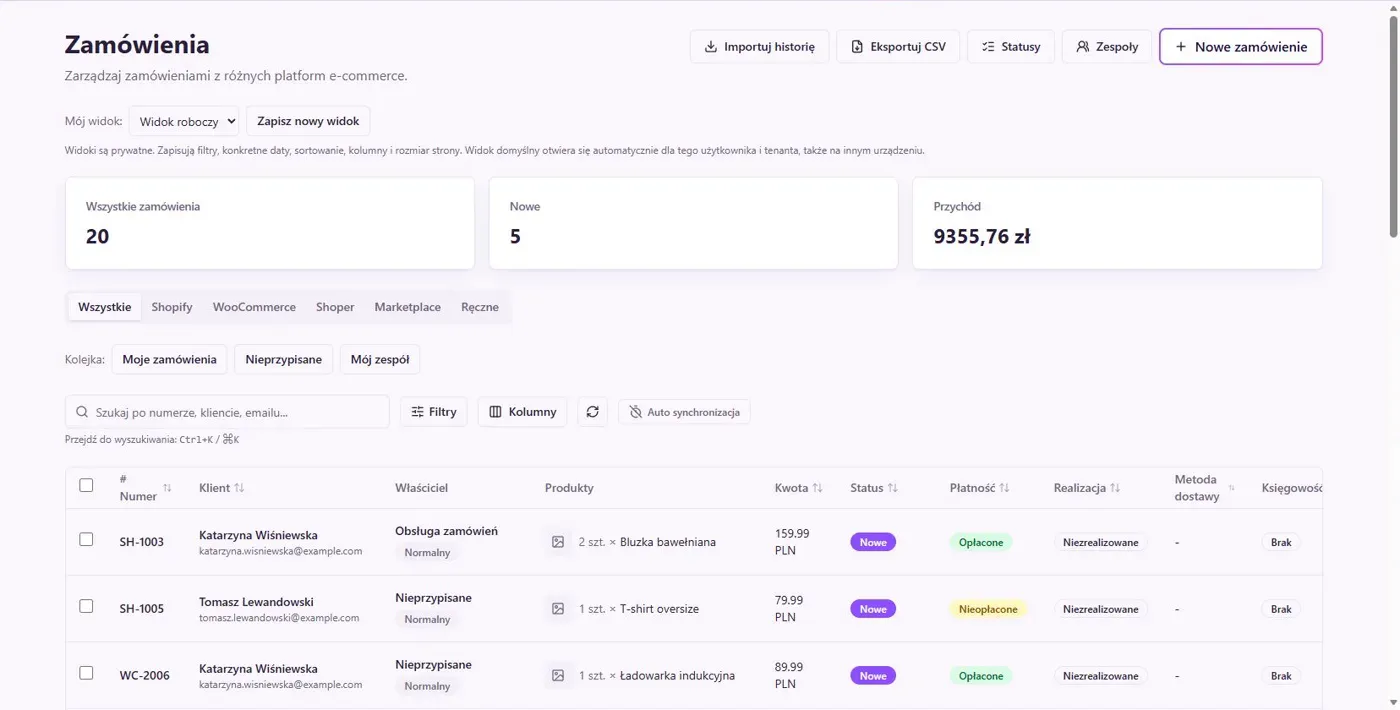
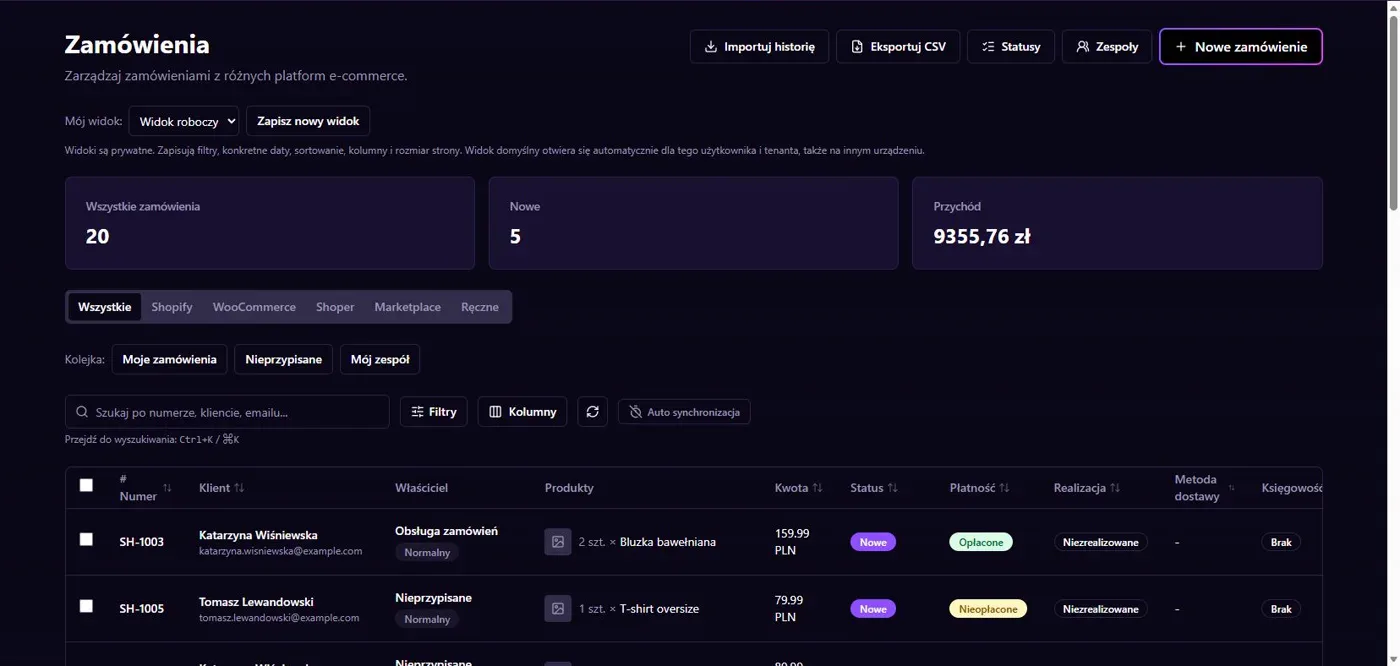
Order list in the NavyFlame panel in demo mode, with orders from Shopify, WooCommerce and other channels

Orders from, among others:

  • Allegro
  • Shopify
  • WooCommerce
  • Shoper
  • PrestaShop
  • IdoSell
  • eBay
  • Erli
  • TikTok Shop
All integrations

Order list

One list instead of five tabs

You see all orders in one place, together with payment, delivery method and document status.

  • Filters by channel, status, payment and date
  • Custom statuses, folders and saved views
  • Queues: mine, unassigned, my team
  • CSV export and history import
Order list in the panel: counters, queues and an order table with payment and status
Panel screen in demo mode, sample data.

Invoices

Documents are created by your rules

You decide for whom, when and which document is created: an invoice or a receipt, after payment or after shipping. The document goes to your accounting software.

  • Document series loaded from your account
  • Separate settings for each channel account
  • Document status visible next to the order
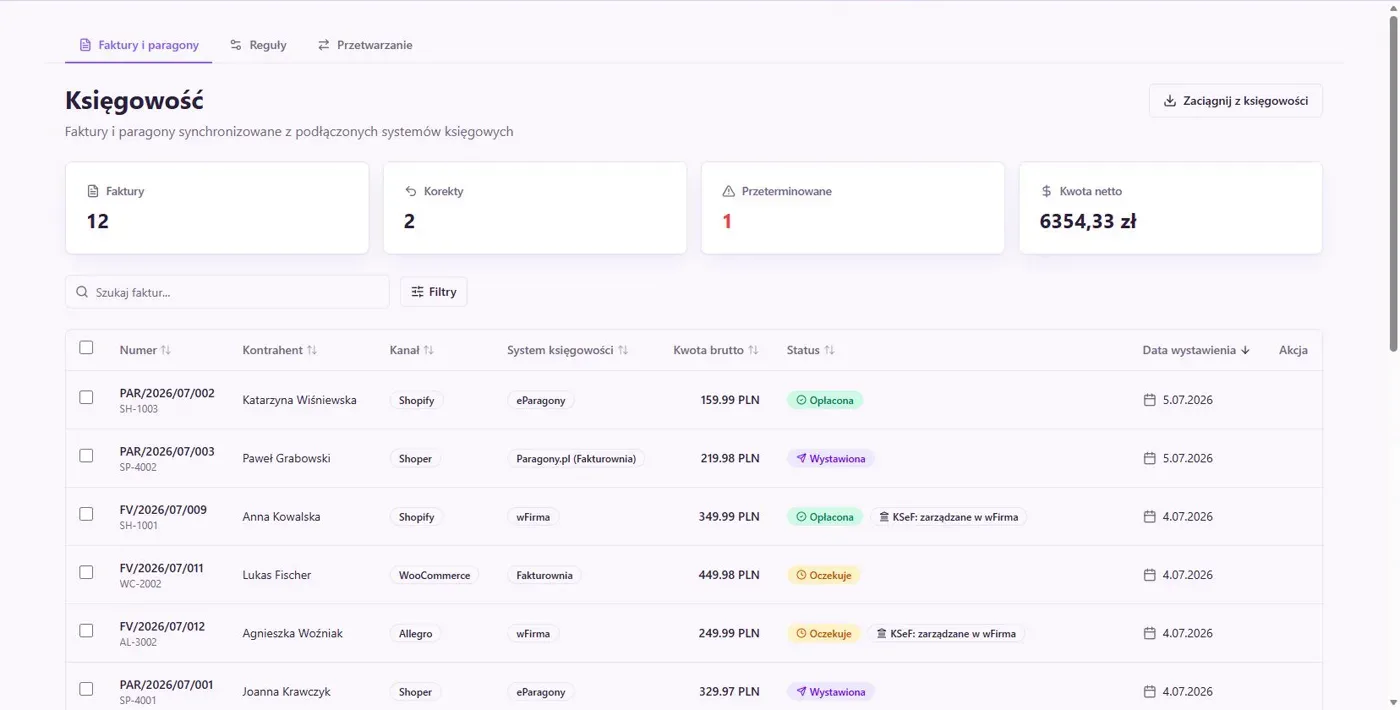
Accounting view in the panel: invoice list with number, customer and status in the accounting software
Panel screen in demo mode, sample data.

Shipping

Labels without retyping the address

You create a label from the order or in bulk for many orders. Shipping rules pick the courier and the service.

  • InPost, DHL, Apaczka and Allegro Delivery, GLS, ORLEN Paczka, Poczta Polska and Furgonetka
  • Bulk printing and pickup ordering
  • Shipment status visible in the panel
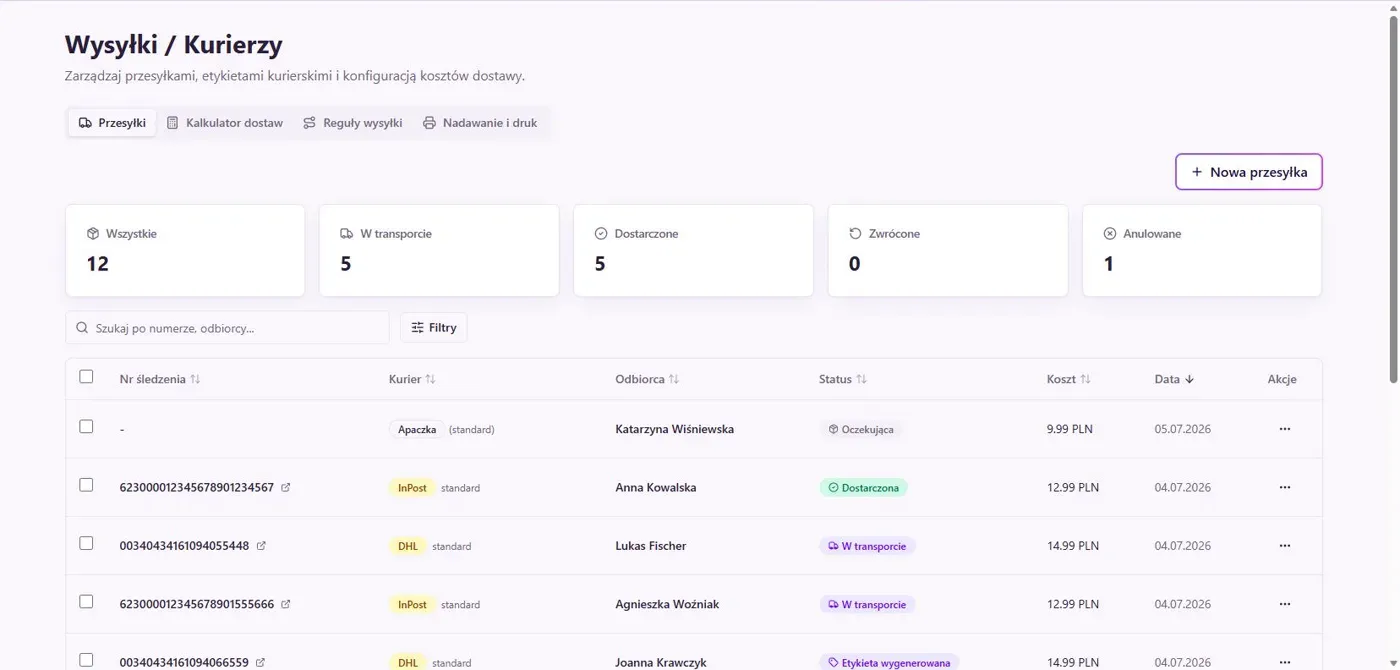
Shipping view in the panel: shipments with carrier, number and status
Panel screen in demo mode, sample data.

Notifications

Your customer knows what is happening with the parcel

Emails with the confirmation, shipping status and invoice are sent from your templates, from your domain or through the email provider you choose.

  • Templates with order data
  • Resend, Mailgun, SendGrid or your own SMTP
  • SMS via SMSAPI and SerwerSMS
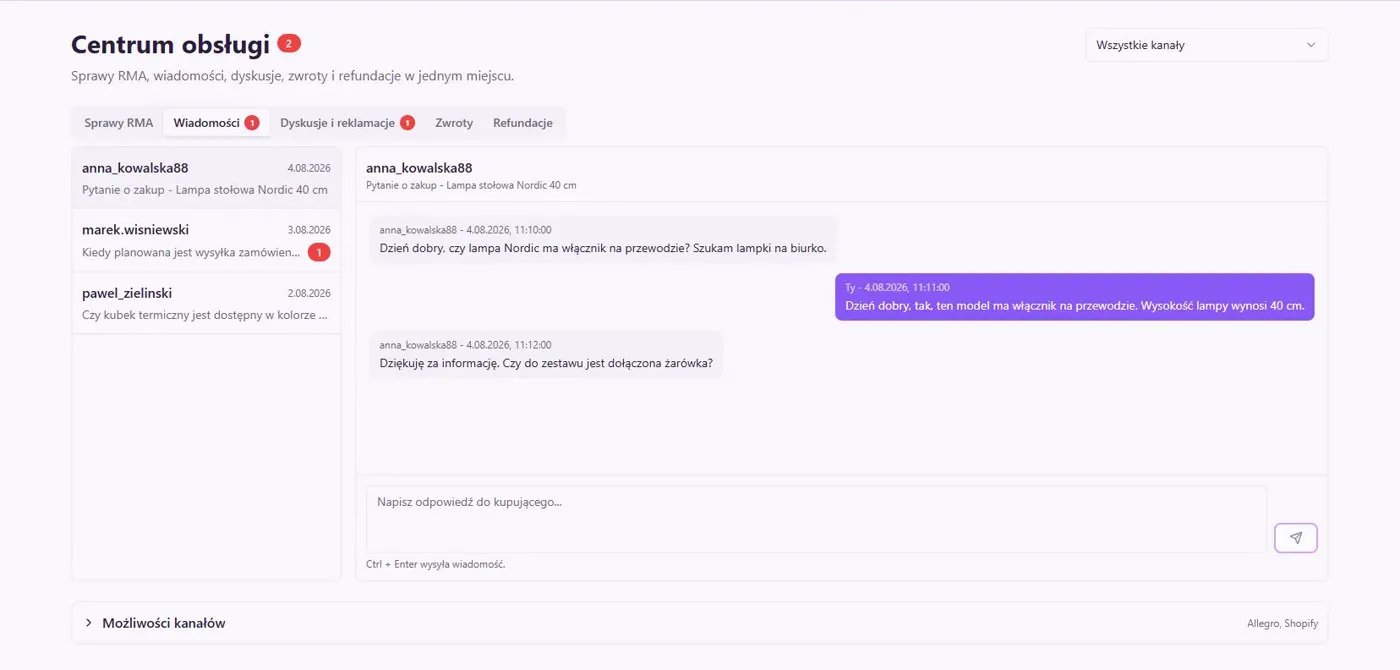
Help center in the panel: conversations with buyers from many channels in one inbox
Panel screen in demo mode, sample data.

Example scenario

Allegro, wFirma and InPost in one process

One of the most common processes among sellers. You set it up once and then handle orders from one list.

  1. 01 · Allegro

    Order paid

    It lands in the panel with the buyer's details and delivery method.

  2. 02 · wFirma

    Invoice in wFirma

    Created by a rule, in the series you selected.

  3. 03 · Packing

    Scan and close the parcel

    The packing station confirms every item.

  4. 04 · InPost

    Label and status

    Label from the order data, the status goes back to Allegro.

FAQ

Questions about orders

  • Shopify sends orders right away. Other channels are checked every minute by default, Amazon every few minutes, and you can change the interval for each account.

  • Yes. Once the parcel is shipped, the tracking number and shipping status go back to the channel the order came from, for example Allegro or your shop. The scope depends on what the channel's API provides.

  • Yes. You create your own statuses and folders, and save list settings, such as filters, columns and sorting, as views.

  • Yes. You add a manual order in the panel and it lands on the same list as orders from channels. You create the invoice, the label and the customer email from it the same way.

Set up your first process during the trial

Connect a channel, your accounting software and a courier. We will help you at every step.

  • No payment card
  • Onboarding help included
  • Cancel whenever you want

This site uses cookies

Necessary cookies keep the site working. Analytics and marketing cookies only start with your consent. Details.

Manage preferences