
01
From looking at the panel to your own account
Start with the process you want to put in order. Then create an account, pick a plan and prepare your own workspace.
Go from connecting your first shop to handling orders in an orderly way. See the panel from the inside, set up your process and hand the repetitive tasks to NavyFlame automations.
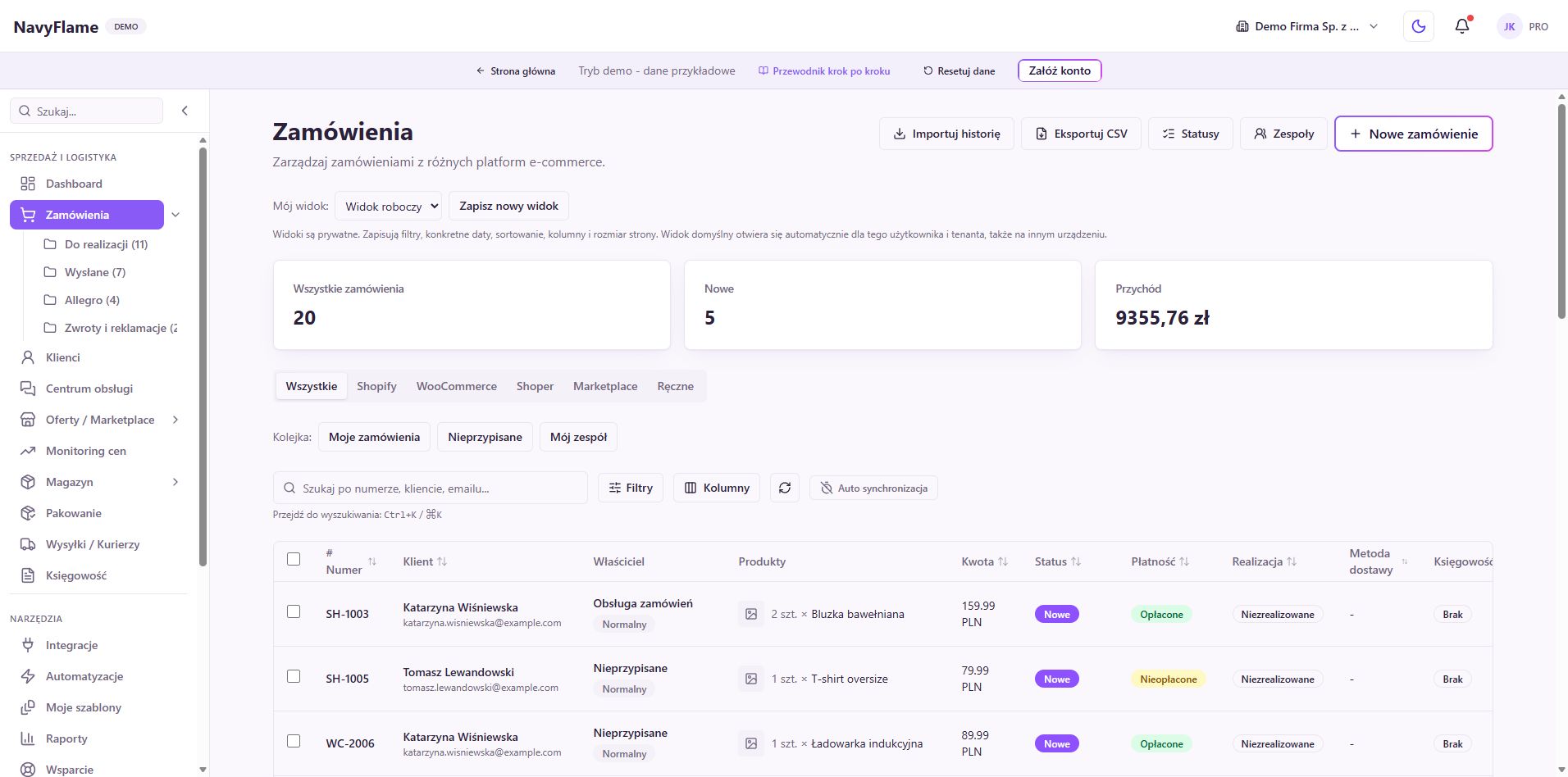
Account, company, integrations and the first data. An order that makes everything after it easier.
02 / Changing integratorSet the import boundary and who owns stock, documents and messages.
03 / Ready to automatePick a repetitive task, set a rule and check the result on a small sample.
Open the guide next to the panel and work through the steps in order. Every chapter ends with a concrete result to check. If part of the system is already in place, pick the topic you need below.
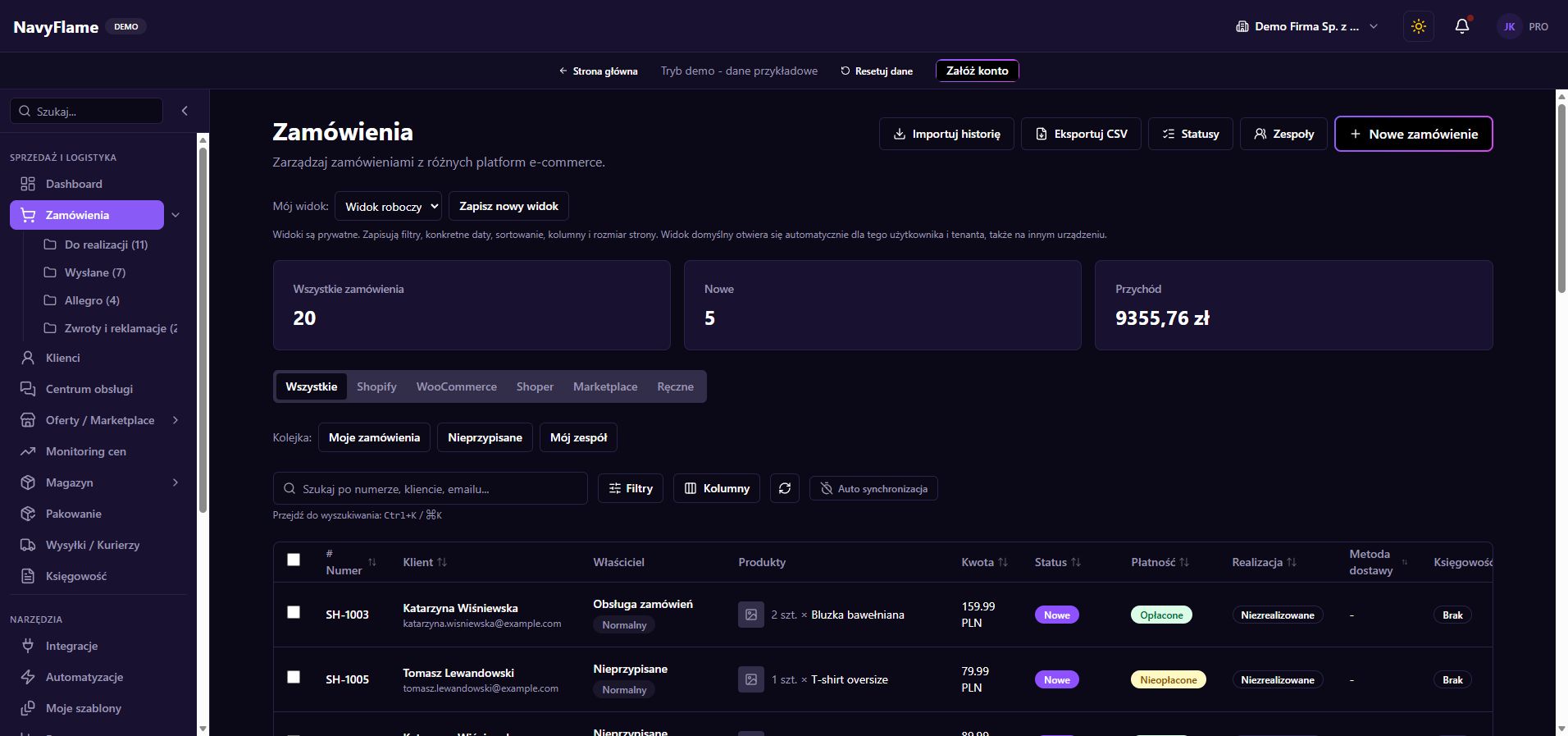
The theme switch in the top menu gives you a light or dark version of the guide and the screenshots. For offline reading, download the PDF in your chosen theme. The print version uses a light background.
The illustrations show the NavyFlame demo as of 8 September 2026. The demo shows how the panel works on sample data. A real connection to a provider, issuing a document and dispatching a parcel are things you check once your own account is set up. What the system can do depends on the integrations, permissions and the plan you choose.
19 of 19 chapters
Tick chapters off once you have checked the result. Progress is saved in this browser only; it changes nothing in your NavyFlame account.
Start with the process you want to put in order. Then create an account, pick a plan and prepare your own workspace.
Learn the navigation and set up a repeatable daily review: connections, new orders, documents and anything needing attention.
Fill in the billing details, invite the team and grant access that matches what each person actually does.
Choose an integration, go through the authorisation the provider requires and check the first data from a specific account.
Choose how to import, settle the product identifiers and check the results before moving the whole catalogue.
Settle the product catalogue, the units and the locations. Then decide when to reserve stock and how availability reaches your offers.
Join the catalogue to specific selling accounts, meet each channel's requirements and put your pricing rules in order.
Build a legible work queue, check the buyer's details and use statuses that match how far handling has actually got.
Choose an accounting provider, check the numbering and prepare the rules for issuing documents against the right orders.
Set up how you dispatch your commonest parcels. A sender entered once, the right service and printing configured shorten the handling of every order after that.
Go from the list of waiting orders to a closed and dispatched parcel. You can use a scanner, a camera or manual confirmation of the contents.
Turn repeated decisions about folders, statuses and comments into legible rules. Start small, check what matches, and only then publish the rule.
Compose consistent confirmations, shipping notices and messages carrying documents. Handle replies from sales channels in the Service centre, within what the connected channel allows.
Bring the conversation, the decision and the physical return of goods into one orderly path. Keep handling the case, refunding the money and taking the product back into stock separate.
Connect your supply sources and make sure the stock level matches what you actually hold. Receiving a delivery and stocktaking serve different operations.
Check sales, products and how operations ran. Price monitoring helps find discrepancies and prepare recommendations that you approve after your own judgement.
When an order, a document or a shipment does not appear where you expect, retrace its path. The error record and the result of the last operation tell you where to start.
Where the ready-made connections do not cover the whole process, prepare deliberate access for your own integration. Also put the company's members in order, and how you react to a problem with access or data.
Roll NavyFlame out in an order that gives a verified result at every stage. Seven days is a suggested way to organise the work, which you adapt to the number of channels and how ready your data is.
Pick your shop or marketplace, your accounting system and how you ship. This guide walks you through the settings that join them into everyday work.
We use cookies to keep the site working, to measure traffic and to personalise content. Read more in our privacy policy.
Necessary cookies keep the site working. Analytics and marketing cookies only start with your consent. Details.
Manage preferences