
Temu + NavyFlame
Temu integration with NavyFlame
Manage orders from your Temu EU Local seller account alongside other sales channels. Enable reading and each operation that changes account data separately.
Temu EU Local: orders, optional financial documents under account rules, catalog, stock, shipments and base price requests with final price reading. Publishing a single SKU requires a category template.
- 28 days free
- Set up in 5 minutes
- Cancel whenever you want
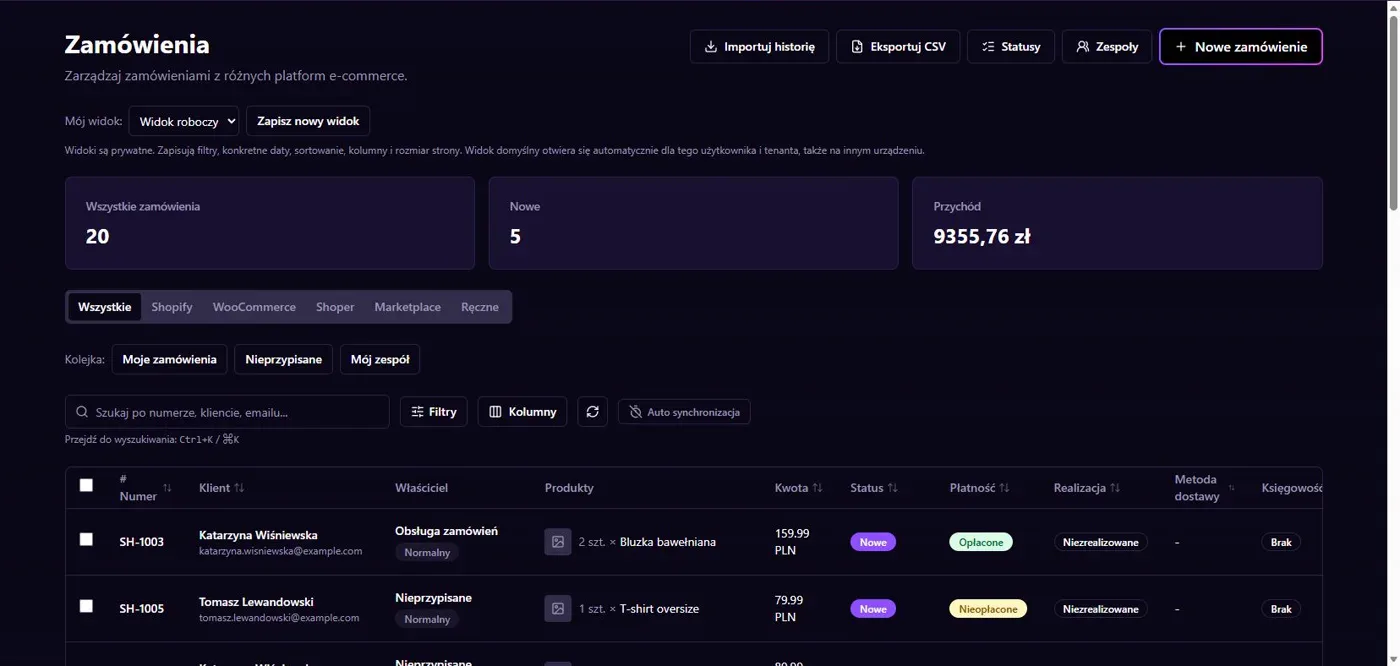
Results in NavyFlame
- Orders and financial documents
- Catalog, prices and shipments
Orders and financial documents
NavyFlame imports Temu EU Local orders into a shared order list. You choose the import lookback period and polling interval. Financial documents require separate consent and invoicing rules for the account. Saving an access token does not start invoicing. Decide which orders and buyer data should enter that process before enabling it.
Catalog, prices and shipments
The connector reads the catalog and can update stock and handle shipments with the appropriate permissions. A price change submits a base price request; reading the final price is a separate operation. Publishing a single SKU requires a category template. The shipping warehouse and carrier mapping must match the seller account.
Setup
How to connect Temu to NavyFlame
We will help with every step, also during the trial.
Prepare access
Prepare the App Key, App Secret, Access Token and Mall ID for your Temu EU Local account. Check the region and seller type.
Add the connection
Open Integrations in NavyFlame, select Temu and add an account. Save the required details and check the connection before starting the process.
Choose the scope
Enable order imports and select a lookback period. Enable stock writes, pricing, shipments, documents and listing creation separately.
Check the result
Compare one imported order with Temu and check its SKU and stock. For a price change, check the request result and the final price.
Related integrations
Check the scope of separate connections for your process. An available connector does not mean every pair of systems is supported.
FAQ
Questions about the Temu integration
Does this support every type of Temu seller?
This connector targets EU Local sellers. It requires application credentials and permissions for that account. Do not assume that other sales models use the same connection.
Does a base price request set the buyer price?
These are separate operations. NavyFlame submits the base price request and can read the final price. Check the result in Temu.
Does saving credentials enable every operation?
No. The connection, account permissions and process rules serve separate purposes. Enable the scope you need and check the result before proceeding.
Explore NavyFlame before connecting your account
Try the demo panel, then configure the connection and verify your chosen process with your own account.